
3 products
DTF Transfer Custom
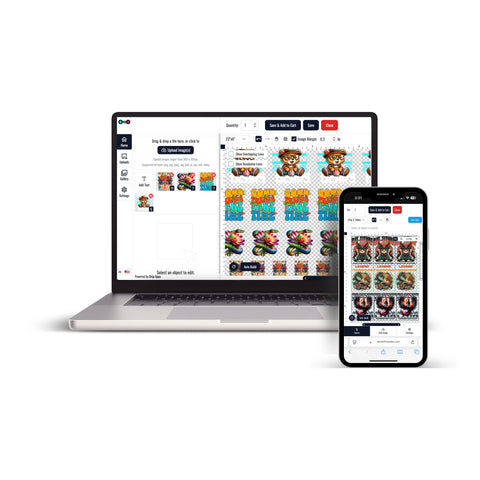


DTF Custom Transfers provide a practical way to prepare custom artwork for compatible apparel and textile projects. Direct-to-Film transfers are printed onto transfer film and later applied to garments using heat and pressure.
This format can support custom T-shirts, hoodies, tote bags, branded apparel, event merchandise, staff clothing, and other compatible textile products.
The appropriate transfer option depends on your artwork, required dimensions, garment material, quantity, and production workflow.
Explore DTF Custom Transfers
For custom apparel projects, explore the DTF Custom Transfers collection and choose the option that matches your artwork and production requirements.
Before ordering, review:
- The intended artwork dimensions
- The garment type
- The design placement
- The number of transfers required
- The application requirements for the selected transfer
Choose the Right Custom Transfer Format
Different apparel projects may require different transfer sizes and ordering formats.
- Individual artwork: Choose transfers according to the dimensions required for the design and garment placement.
- Repeat designs: Organize logos, names, numbers, or recurring graphics according to the quantities required.
- Custom apparel: Prepare transfers for shirts, hoodies, uniforms, merchandise, and other compatible garments.
- Different placements: Review the required dimensions for chest, back, sleeve, or other artwork positions.
Ready-to-Press DTF Transfers
If you want prepared transfers for garment application, ready-to-press DTF transfers provide an option where transfer production is completed before the garment application stage.
This format can be useful when you want to handle pressing while keeping transfer production separate from your apparel workflow.
Preparing Artwork for DTF Custom Transfers
Prepare artwork according to the requirements of the selected transfer option before placing an order.
- Set the artwork at the intended print dimensions
- Use sufficient image resolution
- Check backgrounds and transparency where required
- Confirm the number of copies needed
- Review the intended garment placement
Careful artwork preparation can help make the ordering process easier to manage.
How DTF Custom Transfers Are Applied
Application requirements can vary depending on the transfer and garment.
Before pressing, confirm:
- The recommended temperature
- The recommended press time
- The required pressure
- The garment's suitability for heat application
- The specified peel method
Follow the instructions supplied with the specific transfer instead of using one universal application setting for every garment.
Common Uses for DTF Custom Transfers
DTF custom transfers can support a range of apparel projects, including:
- T-shirts and hoodies
- Staff and team apparel
- Event merchandise
- Brand logos and promotional apparel
- Tote bags and compatible textile accessories
- Personalized apparel projects
Always confirm that the selected transfer and target garment are compatible before application.
How to Order DTF Custom Transfers
Start by preparing your artwork and deciding which transfer option best fits the project.
- Prepare the artwork at the intended print dimensions.
- Choose the appropriate DTF custom transfer format.
- Select the required size and quantity.
- Review the artwork and order details before completing the order.
- Follow the application instructions supplied with the transfer.
This ordering flow helps match the artwork, transfer format, and garment requirements for a more organized custom apparel project.
Let customers speak for us
Absolutely outstanding customer service and the product was perfect. Extremely prompt turn around time.

Good quality and very quickly

Best transfers!

Fantastic!!!
My transfer was perfect. The service I received was fantastic. Thank you very much.
Amazing products. High quality and fast delivery.

Wonderful product and excellent service superfast delivery

Looks great super fast shipping
Great product A++++
Best DTF prints, super easy website, wonderful customer service!
My prints always turned out great and they have wonderful customer service!
Great love this place
good prints. still having issues. says it is a hot peal but I seem to have to let them cool
Easy process, good price, great quality
Great quality
