
4 products
UV DTF Cleaning Supplies
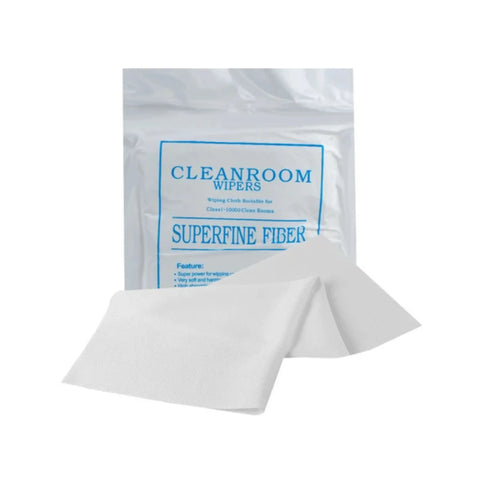
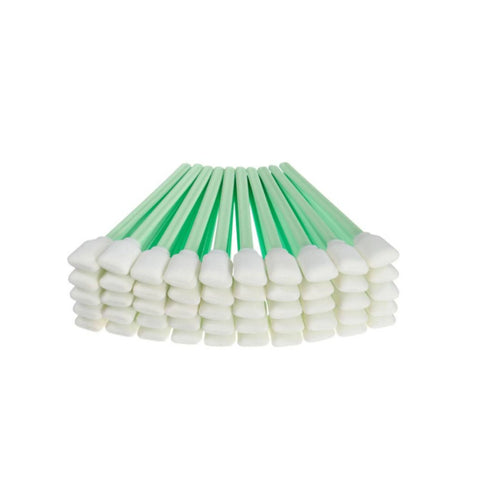


UV DTF cleaning supplies support maintenance tasks for compatible UV DTF printing equipment. The appropriate cleaning product depends on the printer, ink system, component being serviced, and maintenance procedure.
Always follow the equipment manufacturer's instructions before applying cleaning solution or using maintenance tools on printheads, ink-system components, or other sensitive printer parts.
Choose UV DTF Cleaning Solution
For maintenance procedures that require a cleaning fluid designed for UV DTF equipment, UV DTF Cleaning Solution 1 Liter provides a dedicated cleaning option.
The current product information identifies applications including compatible printheads, dampers, ink tubes, rollers, caps, and wipers. Confirm compatibility with the specific printer and component before use.
Use Printer Cleaning Foam Swabs for Detailed Maintenance
When a maintenance procedure requires a tool for reaching smaller or more detailed printer areas, Printer Cleaning Foam Swabs provide another maintenance option.
Cleaning solution and swabs serve different roles, so select the supplies according to the maintenance procedure rather than assuming every cleaning task requires the same combination of products.
Identify the Maintenance Task First
Before selecting cleaning supplies, determine what maintenance procedure the printer requires.
- Check the printer model
- Identify the ink system
- Determine which component requires maintenance
- Review the manufacturer's cleaning procedure
- Confirm which cleaning products and tools are appropriate
Symptoms such as inconsistent output or visible residue can have different causes. Cleaning products should not automatically be treated as the solution to every printer problem.
Check Compatibility Before Use
Cleaning fluids and maintenance tools are not universally interchangeable between printers or ink systems.
Before beginning maintenance, confirm:
- The printer model and ink system
- The component being cleaned
- Where cleaning solution may safely be applied
- Which maintenance tools are appropriate
- The equipment manufacturer's recommended procedure
How to Choose UV DTF Cleaning Supplies
- Identify the printer and ink system being maintained.
- Determine the specific component or maintenance task.
- Review the printer manufacturer's maintenance instructions.
- Choose a compatible cleaning solution when the procedure requires cleaning fluid.
- Select appropriate maintenance tools when detailed cleaning is required.
- Use the products only in the areas specified by the appropriate maintenance procedure.
- Complete the maintenance process according to the equipment manufacturer's instructions.
This approach helps match UV DTF cleaning supplies to the actual printer, component, and maintenance procedure instead of applying the same cleaning method to every piece of equipment.
Let customers speak for us
Great service, great quality product, only DTF provider we will use for our business.

Always great quality!!!

Love it!
Always awesome!
I thought they were great. The prices are reasonable and the delivery was next day - can't beat that!!
Customer was happy with the product.

Amazing service!
Fast, priced right, accurate prints and vibrant colors!
Perfect service at the same day. Easy to pick up! Highly recommend.
Amazing quality, tremendous speed. We needed same day transfers, and we were able to get an awesome product, same day, and at a reasonable price.

I've used them several times and my prints are always great! Bright, vibrant & easy to press.
Great quality 👌

Keeps meeting my expectations and you CAN NOT be the turn around time - fastest delivery 🚚
Absolutely outstanding customer service and the product was perfect. Extremely prompt turn around time.
Good quality and very quickly
