
3 products
DTF Transfers Zone
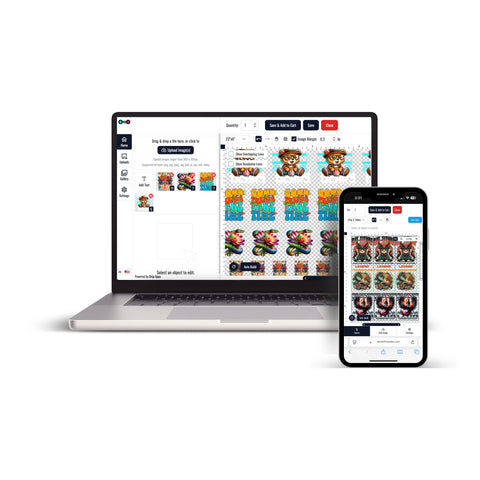


DTF Transfers Zone brings together transfer options for custom apparel projects that require different artwork sizes, quantities, and production formats.
This collection can support print shops, apparel brands, merchandise sellers, organizations, and creators preparing transfers for compatible T-shirts, hoodies, tote bags, uniforms, and other textile projects.
The appropriate transfer format depends on the artwork dimensions, number of designs, quantity, garment type, and intended placement.
Explore DTF Transfers Zone
Browse the DTF Transfers Zone collection to compare transfer formats for your custom apparel project.
Before choosing an option, review:
- The number of different designs required
- The intended dimensions of each design
- The number of copies needed
- The garment type and placement
- Whether designs should be ordered individually or grouped together
Choose DTF Transfers by Size
When a project requires individual artwork dimensions, DTF Transfers By Size provide a direct way to order transfers according to the intended garment placement.
This option can be useful for:
- Chest logos
- Front and back graphics
- Sleeve designs
- Names and numbers
- Other individual apparel placements
Prepare each design at the dimensions required for its intended application area before submitting the order.
Use DTF Gang Sheets for Multiple Designs
If a project includes several graphics or repeated artwork, DTF Gang Sheets provide another way to organize multiple designs within one transfer sheet.
A gang sheet may fit projects that include:
- Several different logos
- Multiple copies of the same design
- Front and back artwork
- Names and numbers
- Different artwork sizes within one production plan
Before finalizing the layout, review artwork dimensions, quantities, spacing, and the available sheet area.
Prepare Artwork Before Ordering
Artwork preparation should match the transfer format selected for the project.
- Set artwork at the intended print dimensions
- Use sufficient image resolution
- Review backgrounds and transparency where required
- Confirm the number of copies needed
- Check the intended garment placement
Clear artwork organization can make it easier to choose between individual transfers and gang sheet layouts.
How to Order from DTF Transfers Zone
Start by separating the project according to artwork, dimensions, and quantities.
- Prepare each design at its intended print dimensions.
- Decide whether individual transfers or a gang sheet better fits the project.
- Select the required size or sheet format.
- Confirm the quantity for each design.
- Review the artwork and order details before completing the order.
This ordering flow helps match the transfer format to the actual artwork and garment requirements of the project.
Let customers speak for us
Absolutely outstanding customer service and the product was perfect. Extremely prompt turn around time.

Good quality and very quickly

Best transfers!

Fantastic!!!
My transfer was perfect. The service I received was fantastic. Thank you very much.
Amazing products. High quality and fast delivery.

Wonderful product and excellent service superfast delivery

Looks great super fast shipping
Great product A++++
Best DTF prints, super easy website, wonderful customer service!
My prints always turned out great and they have wonderful customer service!
Great love this place
good prints. still having issues. says it is a hot peal but I seem to have to let them cool
Easy process, good price, great quality
Great quality
