
4 products
Stickers for Laptops
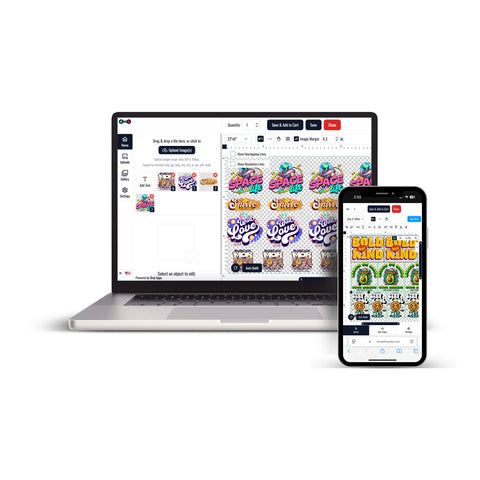
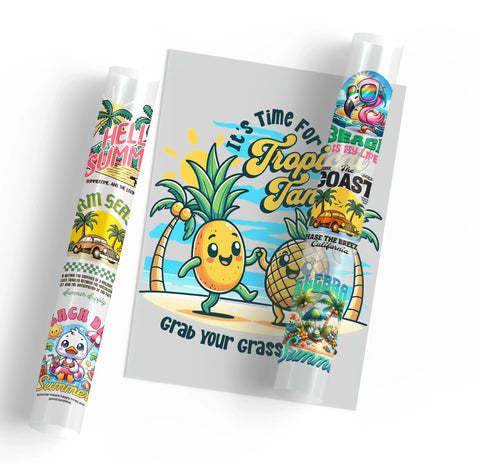


Stickers for laptops provide a way to add custom names, logos, artwork, and personalized graphics to compatible laptop surfaces.
UV DTF transfers are designed for hard-surface applications, but laptop shells can use different materials, coatings, and finishes. Surface compatibility should always be checked before application.
Plan Your Laptop Sticker Design
Laptop graphics can be prepared for personal, business, promotional, or branded projects.
- Names and initials
- Business logos
- Custom illustrations
- Text-based designs
- Brand graphics
- Decorative artwork
Before ordering, consider the available application area and whether the project requires one individual graphic or several designs.
Choose UV DTF Transfers By Size
If you already know the final dimensions required for an individual laptop graphic, UV DTF Transfers By Size provide an individual-design ordering option.
Measure the available area before preparing the artwork so the design does not interfere with laptop logos, vents, hinges, ports, or other functional elements.
Use UV DTF Gang Sheets for Multiple Designs
If the project includes several laptop graphics, repeated logos, different artwork versions, or multiple design sizes, UV DTF Gang Sheets provide a multi-design ordering format.
This format can be considered when preparing:
- Multiple employee device graphics
- Repeated business logos
- Different names or identifiers
- Several decorative designs
- Multiple artwork sizes within one project
The current UV DTF Gang Sheets ordering workflow requires a print-ready gang sheet, selected sheet size, quantity, artwork upload, and any necessary order instructions before checkout.
Plan Artwork Around the Laptop
Before ordering, review the intended placement and final dimensions.
- Measure the usable application area
- Prepare artwork at the intended final size
- Keep text readable
- Check design orientation
- Avoid vents, hinges, ports, and moving components
- Confirm the number of copies required
Check Surface Compatibility
Laptop shells can use different plastics, metals, coatings, and finishes. A transfer that is suitable for one surface should not automatically be assumed suitable for another.
Check the intended application area before proceeding and test carefully when working with an unfamiliar material or finish.
How to Order Stickers for Laptops
- Choose the laptop or device that will receive the graphic.
- Identify a suitable application area away from vents, ports, hinges, and moving components.
- Measure the available area and determine the final artwork dimensions.
- Prepare the artwork at its intended final size.
- Choose UV DTF Transfers By Size for an individual graphic or UV DTF Gang Sheets for multiple designs.
- Upload the artwork and select the required quantity.
- Review the artwork, dimensions, orientation, and order details before checkout.
This ordering approach helps match the UV DTF format to the laptop surface, artwork dimensions, number of designs, and quantity required for the project.
Let customers speak for us
Great interface and service!

I was very happy

Absolutely wonderful

GREAT START TO A WONDERFUL BUSINESS RELATIONSHIP

Awesome
Loved the friendly and professional customer service. Quick turnaround. I would definitely use this company again for my last minute printing needs.
Always amazing! That’s why I keep returning!
This place is awesome!!
Great service, great quality product, only DTF provider we will use for our business.
Always great quality!!!
Love it!
Always awesome!
I thought they were great. The prices are reasonable and the delivery was next day - can't beat that!!
Customer was happy with the product.
Amazing service!
