
3 products
Upload DTF Gang Sheets
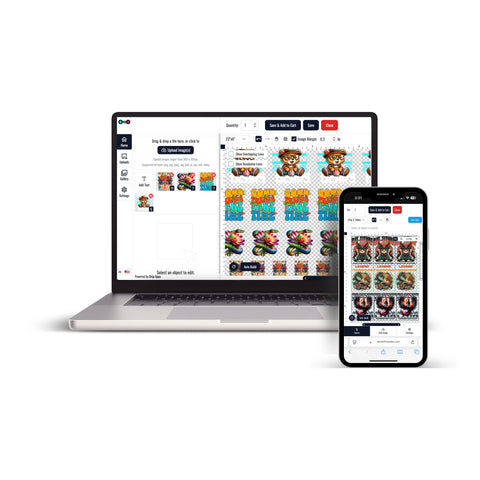


Upload DTF Gang Sheets when you already have multiple designs arranged together in a print-ready gang sheet file.
This ordering format is designed for artwork that has already been laid out before upload. If your graphics have not yet been arranged into a completed sheet, you can use a gang sheet builder instead.
Upload a Print-Ready DTF Gang Sheet
If your complete layout is already prepared, DTF Gang Sheets provide the direct upload workflow.
Before uploading, confirm that:
- The gang sheet is print-ready
- The sheet dimensions match the size you intend to order
- Each design appears at its intended final dimensions
- Artwork does not overlap
- Names, numbers, and text have been reviewed
- The required quantity is correct
The current product workflow requires you to choose the appropriate sheet size, upload the completed gang sheet, select the print quantity, add any necessary order notes, and review the order before checkout.
Supported Artwork Files
The current DTF Gang Sheets upload workflow accepts the following file types:
- PNG
- SVG
- AI
- EPS
- PSD
- JPG
- JPEG
Prepare the file at the dimensions required for the selected gang sheet and review the complete layout before submitting it.
Build a Gang Sheet If Your Layout Is Not Ready
If you have individual designs but have not arranged them into a completed sheet, Build Your DTF Gang Sheet provides a separate ordering workflow.
The builder allows individual designs to be uploaded and reviewed before they are added to the sheet. The current builder instructions recommend artwork prepared at the correct size and 300 DPI, with unwanted backgrounds removed.
Choose the Right Gang Sheet Workflow
Use the direct upload option when:
- Your complete gang sheet layout is already finished
- You know the required sheet dimensions
- All designs are already positioned at their final sizes
Use the gang sheet builder when:
- You have individual design files
- You still need to arrange multiple graphics
- You want to build the sheet during the ordering process
Review Your Gang Sheet Before Uploading
A final artwork check can help identify layout problems before the order is submitted.
- Check the overall sheet dimensions
- Review the final size of each design
- Check spacing between graphics
- Confirm design orientation
- Review spelling, names, and numbers
- Remove unwanted backgrounds where required
- Confirm the number of sheets required
How to Upload DTF Gang Sheets
- Prepare the complete gang sheet as a print-ready file.
- Review the sheet dimensions and individual design sizes.
- Choose the gang sheet size that matches the prepared artwork.
- Upload the completed gang sheet file.
- Select the required print quantity.
- Add any necessary notes or order instructions.
- Review the uploaded artwork and order details.
- Add the gang sheet to the cart and proceed to checkout.
If your gang sheet is not already assembled, use the builder workflow instead of uploading an unfinished layout. Choosing the appropriate workflow helps keep the artwork, sheet dimensions, and order details aligned before checkout.
Let customers speak for us
Great interface and service!

I was very happy

Absolutely wonderful

GREAT START TO A WONDERFUL BUSINESS RELATIONSHIP

Awesome
Loved the friendly and professional customer service. Quick turnaround. I would definitely use this company again for my last minute printing needs.
Always amazing! That’s why I keep returning!
This place is awesome!!
Great service, great quality product, only DTF provider we will use for our business.
Always great quality!!!
Love it!
Always awesome!
I thought they were great. The prices are reasonable and the delivery was next day - can't beat that!!
Customer was happy with the product.
Amazing service!