
3 products
UV gang sheets
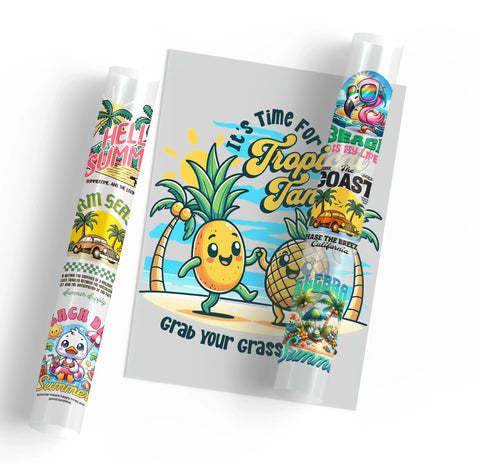

UV gang sheets provide a way to organize multiple logos, labels, names, illustrations, and other graphics within one layout for compatible hard-surface projects.
The right workflow depends on whether your complete gang sheet is already prepared or you still need to arrange individual graphics into a layout.
Plan Your UV Gang Sheet
Start with the products that will receive the individual graphics. Measure each intended application area before deciding how large each design should be on the sheet.
A UV gang sheet can include:
- Business logos
- Product labels
- Names and initials
- Promotional graphics
- Custom illustrations
- Repeated branded designs
Different graphics can use different dimensions within the same project, so confirm the final size and required quantity of each design before preparing the layout.
Build Your UV DTF Gang Sheet
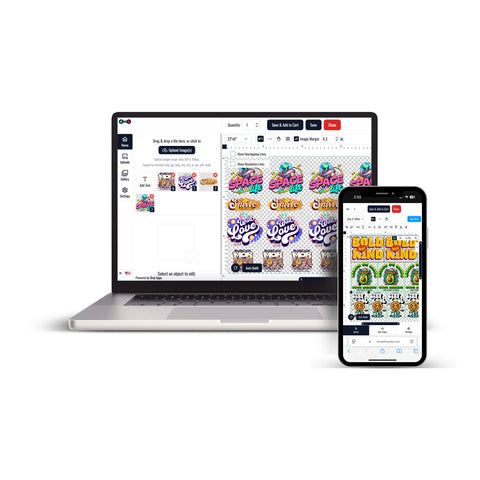
If you have separate graphics that still need to be arranged, Build Your UV DTF Gang Sheet provides a builder-based ordering workflow.
The current builder allows you to select an approximate sheet size and upload individual designs. The final gang sheet size is then calculated according to the number, dimensions, and copies of the uploaded graphics.
Current artwork guidance recommends preparing designs at the correct final size and 300 DPI with unwanted backgrounds removed.
Upload a Prepared UV DTF Gang Sheet
If the complete layout is already prepared and print-ready, UV DTF Gang Sheets provide the direct upload workflow.
For a prepared gang sheet, review:
- The final sheet dimensions
- The size of each individual graphic
- The required number of repeated designs
- Artwork orientation
- Spacing between graphics
- The complete layout before uploading
Prepare Graphics for the Final Products
UV DTF is intended for compatible hard-surface projects. Plan each graphic around the actual item where it will be applied rather than using one general design size for every product.
- Measure the usable application area
- Prepare each graphic at its intended final dimensions
- Keep important text readable
- Consider curved or limited application areas
- Check design orientation
- Determine how many copies of each graphic are required
Check Surface Compatibility
Hard-surface products can use different materials, coatings, textures, finishes, and shapes. A transfer that is appropriate for one surface should not automatically be assumed suitable for another.
Confirm that the intended application surface is compatible with UV DTF before preparing a larger project, especially when working with an unfamiliar material or finish.
UV DTF Gang Sheets Are Different From Apparel DTF
UV DTF gang sheets are intended for compatible hard-surface applications rather than standard garment decoration.
If the project involves T-shirts, hoodies, sweatshirts, jackets, or other compatible apparel, use the appropriate standard DTF transfer workflow instead of treating UV DTF and apparel DTF as interchangeable.
How to Order UV Gang Sheets
- Identify the products that will receive the graphics.
- Measure the intended application areas.
- Prepare each design at its required final dimensions.
- Determine the number of copies required for each graphic.
- Use the UV DTF gang sheet builder if the individual designs still need to be arranged.
- Use the prepared UV DTF gang sheet option if the complete layout is already print-ready.
- Review the artwork, dimensions, quantity, and complete layout before checkout.
This workflow helps match the UV gang sheet format to the final products, artwork dimensions, number of designs, and preparation stage of the project.
Let customers speak for us
Keeps meeting my expectations and you CAN NOT be the turn around time - fastest delivery 🚚

Absolutely outstanding customer service and the product was perfect. Extremely prompt turn around time.

Good quality and very quickly

Best transfers!
Fantastic!!!
My transfer was perfect. The service I received was fantastic. Thank you very much.
Amazing products. High quality and fast delivery.

Wonderful product and excellent service superfast delivery

Looks great super fast shipping
Great product A++++
Best DTF prints, super easy website, wonderful customer service!
My prints always turned out great and they have wonderful customer service!
Great love this place
good prints. still having issues. says it is a hot peal but I seem to have to let them cool
Easy process, good price, great quality
