3 products
DTF Heat Transfers


DTF heat transfers provide a practical way to prepare custom artwork for apparel without producing every transfer in-house.
Businesses, apparel decorators, teams, brands, organizations, and individual creators can choose a transfer format according to the artwork dimensions, quantity, garment placement, and production requirements of the project.
What Are DTF Heat Transfers?
Direct-to-Film transfers are prepared on transfer film and later applied to suitable apparel using heat and pressure.
The exact application requirements can vary according to the specific transfer, garment, and heat-press setup, so the instructions provided for the selected transfer should guide the application process.
Choose DTF Transfers By Size
If an individual graphic already has defined final dimensions, DTF Transfers By Size provide an ordering option based on the width and height required for the artwork.
This format can be useful for logos, front graphics, back designs, names, numbers, and other artwork prepared for a specific garment placement.
Use Gang Sheets for Multiple Designs
Some apparel projects require several logos, repeated graphics, names, numbers, or different design sizes within the same production workflow.
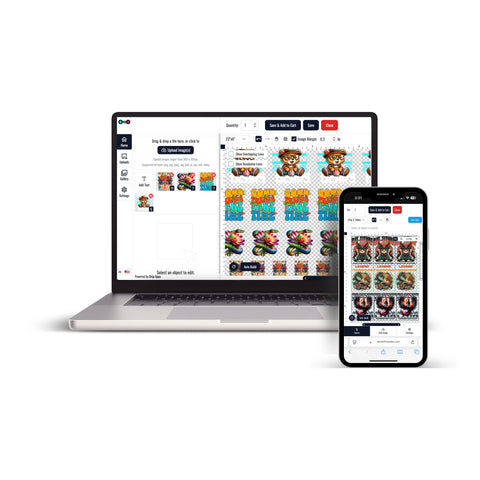
For multi-design projects, DTF Gang Sheets allow multiple graphics to be organized together.
Before submitting a gang sheet, confirm the final dimensions and quantity required for each design included in the layout.
Prepare Artwork Before Ordering
Accurate artwork preparation helps keep the transfer order aligned with the finished apparel project.
- Use final approved artwork
- Confirm transfer dimensions
- Check names, numbers, dates, and spelling
- Identify the intended garment placement
- Confirm the quantity required for each design
Plan the Heat-Press Workflow
DTF heat transfers are intended for apparel application using a heat press.
Do not assume that one temperature, pressure, pressing time, cooling period, or peel method applies to every transfer. Follow the instructions provided for the specific transfer being used.
Ready-to-Press DTF Transfers
Customers who do not produce transfers in-house can order prepared transfers and keep the final heat-application stage within their own production workflow.
This approach can be useful for apparel businesses and creators that want to focus on garment preparation, pressing, fulfillment, and repeat orders rather than operating a complete transfer-printing system.
DTF Heat Transfers for Business Apparel
DTF heat transfers can support projects involving:
- Staff and business apparel
- Custom T-shirts and hoodies
- Team and organization clothing
- Event merchandise
- Promotional apparel
- Repeat branded designs
For repeat production, keep approved artwork together with its final dimensions, placement, and quantity requirements so the same design can be prepared consistently for future orders.
Choose the Right DTF Heat Transfer Format
Start with the garment, approved artwork, final dimensions, placement, quantities, and production schedule.
Then choose individual transfers or gang sheets according to the way the apparel project needs to move through production.
Let customers speak for us
So far I have been very satisfied with the product and service

Great interface and service!

I was very happy

Absolutely wonderful

GREAT START TO A WONDERFUL BUSINESS RELATIONSHIP

Awesome
Loved the friendly and professional customer service. Quick turnaround. I would definitely use this company again for my last minute printing needs.
Always amazing! That’s why I keep returning!
This place is awesome!!
Great service, great quality product, only DTF provider we will use for our business.
Always great quality!!!
Love it!
Always awesome!
I thought they were great. The prices are reasonable and the delivery was next day - can't beat that!!
Customer was happy with the product.