
3 products
Sweatshirts Blank


Blank sweatshirts provide a base for custom apparel projects that use logos, graphics, names, numbers, and original artwork.
Before ordering transfers, choose the sweatshirt first and plan the artwork around the actual garment. Sweatshirt style, seams, pockets, zippers, and available print areas can affect the final transfer dimensions and placement.
Plan Your Sweatshirt Design
Blank sweatshirt projects can include:
- Business and brand logos
- Front and back graphics
- Small chest designs
- Sleeve artwork
- Names and numbers
- Team, event, or merchandise graphics
Measure each intended placement before preparing the artwork so the transfer dimensions match the actual sweatshirt.
Choose DTF Transfers By Size
If each sweatshirt design already has a defined final width and height, DTF Transfers By Size provide an ordering option for individual graphics.
This format can be useful when a project includes:
- One front or back design
- Small chest logos
- Sleeve graphics
- Names or numbers
- Different artwork requiring separate dimensions
Prepare each design at the intended final print size before uploading.
Use DTF Gang Sheets for Multiple Designs
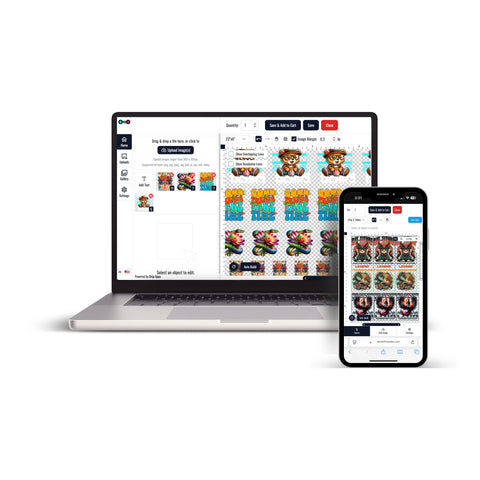
If the sweatshirt project includes repeated logos, multiple artwork sizes, names, numbers, or several graphics, DTF Gang Sheets provide a multi-design ordering format.
A gang sheet can be considered for:
- Repeated brand logos
- Several sweatshirt placements
- Different artwork variations
- Names and identifiers
- Multiple designs within one apparel project
Confirm the final dimensions and quantity of each design before preparing the sheet layout.
Plan Artwork Around the Sweatshirt
Different sweatshirt styles provide different usable application areas. Review the actual garment before finalizing the design.
- Measure the available print area
- Check seams and pocket placement
- Consider zippers or other garment features
- Keep important text readable
- Prepare artwork at the intended final dimensions
- Confirm the required quantity of each design
Prepare Artwork Before Ordering
Before submitting the transfer order, review:
- Final artwork width and height
- Artwork resolution and image quality
- Background and transparency requirements
- Garment placement
- Design orientation
- Required quantity
For DTF Transfers By Size, the current product instructions recommend artwork prepared at the correct dimensions and 300 DPI, with unwanted backgrounds removed.
How to Order Transfers for Blank Sweatshirts
- Choose the blank sweatshirt that will receive the design.
- Measure each intended application area.
- Prepare the artwork at its final print dimensions.
- Choose DTF Transfers By Size for individual graphics or DTF Gang Sheets for multiple designs.
- Select the required quantities.
- Upload the artwork and review the order details.
- Confirm the artwork, dimensions, placements, and quantities before checkout.
This ordering approach helps match the DTF transfer format to the actual sweatshirt, artwork dimensions, garment placement, and quantity required for the project.
Let customers speak for us
My transfer have always come out beautifully and the customer service is top tier.

Great product. Easy to pick up at business after business hours.
I was able to press on without any problems and it looks great.

Always absolutely amazing prints and speedy delivery time
As always, friendly, supportive and professional

The shipping and quality of the products ordered are always great!
Me encanta lo rápido que son para realizar las órdenes gracias
Love how quickly these are printed as well as the easy of ordering and quality.
So far I am loving the work
The quality of these prints was great, especially for the price! I loved being able to grab them 24/7 too, made it a lot easier for me

The transfers were great!
Had ready in a few hours and pickup after hours is great!
Quick and customer service was out of this world. They will always have me as a customer.
Great quality and service. Will be sure to use again.
thank you everything always !
DTF Transfer Ohio has been very patient with me and my senior friends.
It’s so convenient I can pick up the order the same day. They’re 15 minutes away.
