
4 products
Upload Your UV DTF Gang Sheet
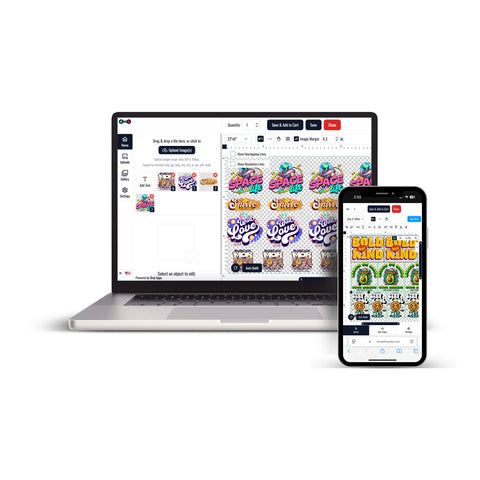
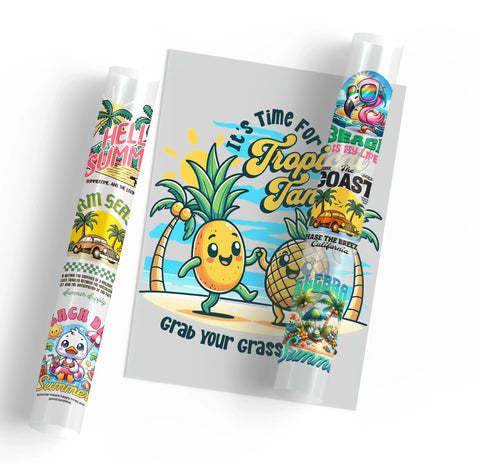


Upload your UV DTF gang sheet when you already have multiple graphics arranged into a finished layout and want to submit the artwork for UV DTF production.
Gang sheets can help organize logos, labels, names, repeated graphics, and different design sizes within one artwork layout for compatible hard-surface projects.
Prepare Your Gang Sheet Before Uploading
Review the complete layout before submitting your artwork. The size and placement of each design should match how you intend to use the finished transfers.
- Check the final sheet dimensions
- Confirm individual graphic sizes
- Keep important text readable
- Check artwork orientation
- Make sure designs do not overlap
- Confirm the quantity of repeated graphics
- Review the complete layout before submission
Upload a Finished UV DTF Gang Sheet
If your artwork is already arranged into a completed layout, UV DTF Gang Sheets provide the relevant ordering option for submitting a prepared gang sheet.
This format is appropriate when you want to prepare the complete layout yourself and control the dimensions and positioning of the individual graphics before uploading.
Build Your UV DTF Gang Sheet Online
If you have separate graphics rather than a completed sheet, Build Your UV DTF Gang Sheet provides a separate workflow for organizing multiple designs before ordering.
Prepare the individual graphics at their intended final dimensions before adding them to the layout.
Plan Artwork Around the Final Products
UV DTF is intended for compatible hard-surface applications. Before arranging the gang sheet, consider the products and application areas where the individual graphics will eventually be used.
- Measure the intended application areas
- Prepare each graphic at its required final size
- Consider curved or limited application areas
- Keep important design elements within the usable area
- Organize repeated designs according to the quantity required
Check Surface Compatibility
Hard surfaces can use different materials, coatings, textures, finishes, and shapes. A transfer that is appropriate for one surface should not automatically be assumed suitable for another.
Confirm that the intended application surface is compatible with UV DTF before preparing a larger project.
How to Order an Uploaded UV DTF Gang Sheet
- List the individual graphics required for the project.
- Measure the intended application area for each design.
- Prepare each graphic at its required final dimensions.
- Arrange the graphics into a completed gang sheet or use the UV DTF gang sheet builder.
- Review the sheet dimensions, design sizes, orientation, spacing, and quantities.
- Upload the completed artwork and select the required sheet option and quantity.
- Add any necessary order instructions.
- Review the artwork and order details before checkout.
This workflow helps match the UV DTF gang sheet to the final products, artwork dimensions, number of designs, and quantity required for the project.
Let customers speak for us
My transfer have always come out beautifully and the customer service is top tier.

Great product. Easy to pick up at business after business hours.
I was able to press on without any problems and it looks great.

Always absolutely amazing prints and speedy delivery time
As always, friendly, supportive and professional

The shipping and quality of the products ordered are always great!
Me encanta lo rápido que son para realizar las órdenes gracias
Love how quickly these are printed as well as the easy of ordering and quality.
So far I am loving the work
The quality of these prints was great, especially for the price! I loved being able to grab them 24/7 too, made it a lot easier for me

The transfers were great!
Had ready in a few hours and pickup after hours is great!
Quick and customer service was out of this world. They will always have me as a customer.
Great quality and service. Will be sure to use again.
thank you everything always !
DTF Transfer Ohio has been very patient with me and my senior friends.
It’s so convenient I can pick up the order the same day. They’re 15 minutes away.