
3 products
Digital Textile Printing
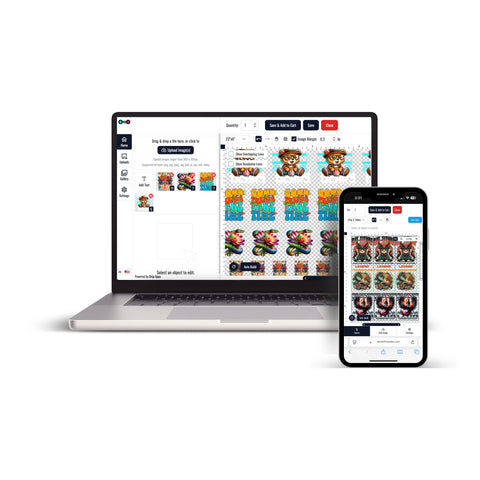


Digital Textile Printing provides a practical way to prepare custom designs for compatible apparel and textile projects. In a DTF workflow, artwork is printed onto transfer film and later applied to garments using heat and pressure.
This format can support custom T-shirts, hoodies, tote bags, branded apparel, event merchandise, staff clothing, and other compatible textile products.
The appropriate transfer option depends on your artwork, required dimensions, garment material, quantity, and production workflow.
Choose the Right DTF Transfer Format
Different textile projects may require different transfer sizes or layouts. Individual transfers are useful when each design needs a specific dimension, while gang sheets can help organize several graphics within one larger sheet.
- Individual designs: Choose transfers according to the dimensions required for the artwork and garment placement.
- Multiple graphics: Use a gang sheet when several designs can share the same printable area.
- Repeat artwork: Organize logos, names, numbers, or recurring graphics according to the quantities required.
- Custom apparel: Prepare transfers for shirts, hoodies, uniforms, merchandise, and other compatible garments.
DTF Gang Sheets for Multiple Designs
When a project includes several graphics, DTF gang sheets provide a way to arrange multiple designs within one sheet layout.
This option can be useful for projects containing different logos, artwork sizes, or repeated graphics.
Before finalizing a gang sheet, review:
- Artwork dimensions
- Image quality
- Spacing between graphics
- The number of copies required
- The available sheet dimensions
Order DTF Transfers by Size
For projects that require individual transfer dimensions, DTF transfers by size provide a direct ordering option for specific artwork placements.
This format can be useful for chest graphics, back designs, logos, names, sleeve graphics, and other individual apparel placements.
Select the transfer dimensions according to the artwork and garment you plan to use.
Common Uses for Digital Textile Printing
DTF-based digital textile printing can support a range of custom apparel projects, including:
- T-shirts and hoodies
- Staff and team apparel
- Event merchandise
- Brand logos and promotional apparel
- Tote bags and compatible textile accessories
- Personalized apparel projects
Always confirm that the transfer and target garment are compatible before application.
Preparing Artwork for DTF Printing
Before placing an order, prepare the artwork according to the requirements of the selected transfer product.
Review:
- The intended print dimensions
- Artwork resolution and image quality
- Background and transparency requirements
- The number of copies needed
- The intended garment placement
Careful artwork preparation can help make the ordering process easier to manage.
How DTF Transfers Are Applied
Application requirements can vary depending on the transfer and garment.
Before pressing, confirm:
- The recommended temperature
- The recommended press time
- The required pressure
- The garment's suitability for heat application
- The specified peel method
Follow the instructions supplied with the specific transfer instead of using one universal setting for every garment.
How to Order Digital Textile Transfers
Start by preparing your artwork and deciding whether individual transfers or a gang sheet better fits the project.
- Prepare the artwork at the intended print dimensions.
- Choose individual transfers or a gang sheet format.
- Select the required size and quantity.
- Review the artwork and layout before completing the order.
- Follow the application instructions supplied with the transfer.
This ordering flow helps you select the transfer format that best matches your custom textile and apparel project.
Let customers speak for us
Great interface and service!

I was very happy

Absolutely wonderful

GREAT START TO A WONDERFUL BUSINESS RELATIONSHIP

Awesome
Loved the friendly and professional customer service. Quick turnaround. I would definitely use this company again for my last minute printing needs.
Always amazing! That’s why I keep returning!
This place is awesome!!
Great service, great quality product, only DTF provider we will use for our business.
Always great quality!!!
Love it!
Always awesome!
I thought they were great. The prices are reasonable and the delivery was next day - can't beat that!!
Customer was happy with the product.
Amazing service!
